Creating an effective workspace is essential for anyone aiming to boost their productivity, maintain comfort, and stay organized. In today’s dynamic work environment—whether you’re setting up a home office, managing a corporate space, or designing a creative studio—a thoughtfully designed workspace can make a significant difference. This comprehensive guide explores innovative strategies to optimize your workspace, ensuring it serves as an inspiring and efficient environment where goals can be achieved with ease.
Understanding the Different Types of Workspaces
A. Home Workspace
With the rise of remote work and freelancing, home workspaces have become more vital than ever. These can include dedicated home offices, co-working spaces shared with others, or multi-purpose rooms that accommodate various activities.
- Home offices: These are personalized spaces within your residence designed specifically for work. They often feature ergonomic furniture, technology setup, and personalization elements.
- Co-working spaces: Shared environments that provide a professional setting without the expense of maintaining an office. Ideal for networking and collaboration.
- Multi-purpose rooms: Spaces that serve dual roles, such as a guest room used also as a home office, requiring flexible ergonomic and organizational solutions.
B. Corporate Workspace
Traditional work environments focus on corporate workspaces, which include various office setups:
- Traditional offices: Enclosed offices with individual desks, often suited for focused work.
- Open-plan offices: Large, shared spaces emphasizing collaboration and communication.
- Remote work setups: Virtual offices that rely heavily on digital tools and a personal workspace at home or elsewhere.
C. Creative and Specialized Workspaces
Creative professionals require spaces that foster innovation and experimentation:
- Studios: Artistic, musical, or design studios that prioritize creative freedom and inspiration.
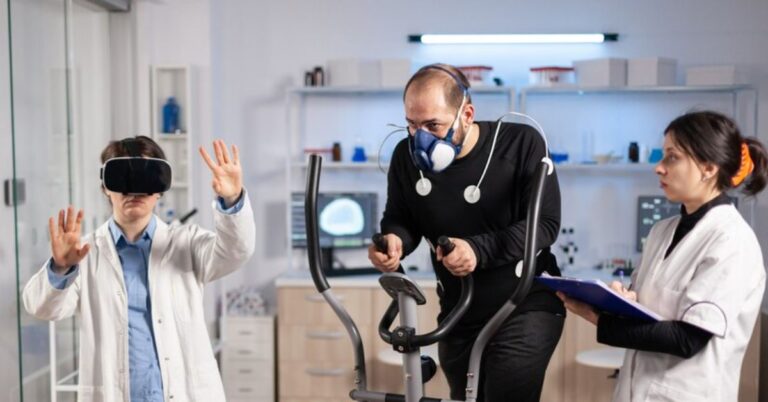
- Labs and research facilities: Equipped with specialized tools and ergonomic considerations for scientific or technical work.
Key Elements of an Effective Workspace
A. Ergonomic Design
Prioritizing ergonomic principles in your workspace helps prevent discomfort and health issues.
- Desk and chair height: Ensure both are adjustable and promote good posture. Your feet should rest flat on the floor, and your elbows should be at a 90-degree angle.
- Screen placement: Position monitors at eye level to avoid neck strain. Use adjustable stands if needed.
- Lighting considerations: Utilize natural light where possible, supplemented by task lighting that reduces glare and eye fatigue.
- Ergonomic accessories: Invest in keyboards, mice, footrests, and wrist support to promote comfort during long working hours.
B. Organizational Systems
Efficiency in your workspace depends on effective organization.
- Storage solutions: Use shelves, drawers, or containers to keep supplies accessible yet tidy.
- Filing systems: Digital and physical filing systems help track documents and reduce clutter.
- Decluttering strategies: Regularly review and remove unnecessary items to maintain focus and create a calming environment.
C. Technology and Equipment
A workspace equipped with reliable technology enhances productivity. Key components include:
- Internet connection: Fast, stable internet is non-negotiable—consider wired connections for critical tasks.
- Essential devices: Computers, printers, and backup drives aligned with your work requirements.
- Technical accessories: Chargers, hubs, cables, and adapters should be organized and accessible.
D. Personalization
Adding personal touches can boost motivation and create a welcoming workspace.
- Inspirational art or photos
- Plants or natural elements
- Comfort items like cushions or cozy lighting
Principles for Arranging Your Workspace Effectively
A. Layout Optimization
Design your workspace layout to facilitate workflow:
- Zoning: Assign specific zones for different tasks—computing, brainstorming, meeting, resting.
- Clear pathways: Maintain accessibility and prevent congestion, especially in shared environments.
B. Color Psychology
Colors influence mood and focus. Choose colors that promote calm and concentration:
- Blue: Promotes focus and serenity.
- Green: Reduces stress and enhances creativity.
- Avoid overly distracting hues like bright neon shades.
C. Noise Management
Minimize distractions through sound control:
- Use soundproofing materials or acoustic panels.
- Wear noise-canceling headphones during focus-intensive tasks.
- Create quiet zones free from interruptions.
Maintaining a Productive Workspace
A. Regular Cleaning and Organization
Keep your workspace inviting and efficient with routine maintenance:
- Daily tidying: Clear clutter, organize supplies, sanitize surfaces.
- Weekly deep cleaning: Dust, vacuum, and review organizational systems for improvements.
B. Updating and Reassessing Your Space
As your work evolves, so should your workspace. Regularly review its effectiveness:
- Incorporate new technology or ergonomic furniture.
- Rearrange based on changing priorities or workflow patterns.
- Seek feedback and adapt accordingly.
C. Ergonomic and Health Considerations
Protect your well-being with these habits:
- Take regular breaks to stretch and move.
- Incorporate movement exercises to reduce stiffness and promote circulation.
- Maintain proper posture throughout the day.
Designing a Remote or Virtual Workspace
Creating a Dedicated Area
Designate a specific corner or room solely for work. This helps mentally separate work from leisure and boosts productivity.
Setting Up at Home
Choose a quiet, well-lit spot with minimal distractions. Invest in ergonomic furniture and organize supplies to emulate professional work environments.
Virtual Backgrounds and Technology Tips
Use virtual backgrounds for video calls to maintain professionalism. Ensure your devices and internet connection are capable of seamless communication.
Learn more about improving your virtual workspace.
Trends and Innovations in Workspace Design
| Trend | Description | Benefits |
|---|---|---|
| Biophilic Design | Incorporates natural elements like plants, natural light, and water features into workspaces. | Enhances mood, reduces stress, and increases creativity. |
| Standing & Treadmill Desks | Adjustable desks that allow users to stand or walk while working. | Promotes movement, reduces sedentary behavior, and improves health. |
| Smart Office Technologies | Automated lighting, climate control, and IoT devices to optimize environment. | Increases efficiency, saves energy, and provides data-driven insights. |
| Sustainable Materials | Use of eco-friendly furniture and materials in designing workspaces. | Supports environmental responsibility and improves indoor air quality. |
Innovations like these are shaping future workspace environments, making them more adaptable, healthy, and environmentally conscious.
Addressing Common Challenges in Workspace Optimization
Distractions
Limit distractions by establishing boundaries, using noise-canceling headphones, or employing focus techniques like time blocking.
Clutter and Disorganization
Implement simple organizational systems and regularly purge unnecessary items to create a serene environment.
Ergonomic Discomfort
Prioritize adjustable furniture, take frequent breaks, and incorporate movement to prevent strain or injury.
Solutions and Best Practices
- Use task management apps to stay organized.
- Set specific goals for daily workspace maintenance.
- Seek ergonomic consultation if discomfort persists.
Summary Table: Key Strategies for Workspace Optimization
| Aspect | Key Strategies | Benefits |
|---|---|---|
| Layout & Design | Zoning, clear pathways, ergonomics | Enhanced focus, easy accessibility |
| Organization | Storage solutions, decluttering | Reduced stress, efficiency |
| Technology | Reliable internet, essential devices | Seamless workflow, productivity |
| Personalization | Inspirational items, greenery | Motivation, mood boost |
| Environmental Factors | Lighting, noise control, colors | Focus, calmness |
Frequently Asked Questions (FAQs)
- How do I create a productive workspace at home? Focus on ergonomic design, organize your space, incorporate natural light, and eliminate distractions.
- What are the best colors to promote focus? Shades of blue, green, and neutral tones are known to improve concentration and reduce stress.
- How often should I take breaks in my workspace? Aim for a 5-10 minute break every hour to stretch, move around, and refresh your mind.
- What ergonomic accessories are essential? Keyboard wrist supports, adjustable chair and monitor stands, and footrests can significantly reduce strain.
- How can I make my virtual workspace more professional? Use a clean background, good lighting, and ensure your device is stable and well-connected.
- Are standing desks worth it? Yes, they promote movement, improve posture, and can reduce health risks associated with prolonged sitting.
- What sustainable materials can I incorporate into my workspace? Consider furniture made from recycled or eco-friendly materials, and use energy-efficient lighting.
- How do I handle distractions in a shared workspace? Set boundaries, communicate your needs, and use noise-canceling headphones when necessary.
Optimizing your workspace is a continuous process that involves customizing your environment to fit your needs, embracing new trends, and maintaining good habits. By implementing these strategies, you will cultivate a space that not only enhances your productivity but also promotes comfort and well-being. Remember, a well-designed workspace is an investment in your success and happiness.